
What is the knowledge base?
Learn about the knowledge base, a central repository of your security documentation.
Procurize Questionnaire makes the process of managing and sharing security documentation easy. The knowledge base is a central repository where you can add, maintain and share your security documentation.
Documents saved in the knowledge base can be shared within your organization, maintained by adding new versions, and reused within security questionnaires. Instead of uploading the same document over and over, you can use the knowledge base to keep your central set of documents up to date and share them easily from there.
What documents should I add to my knowledge base?
Start with documents that are commonly requested by your prospects and customers. This could include:
Saving these documents in your knowledge base makes it easy to publish them to your Trust Page and add them in response to future security questionnaire requests.
Get started with the knowledge base
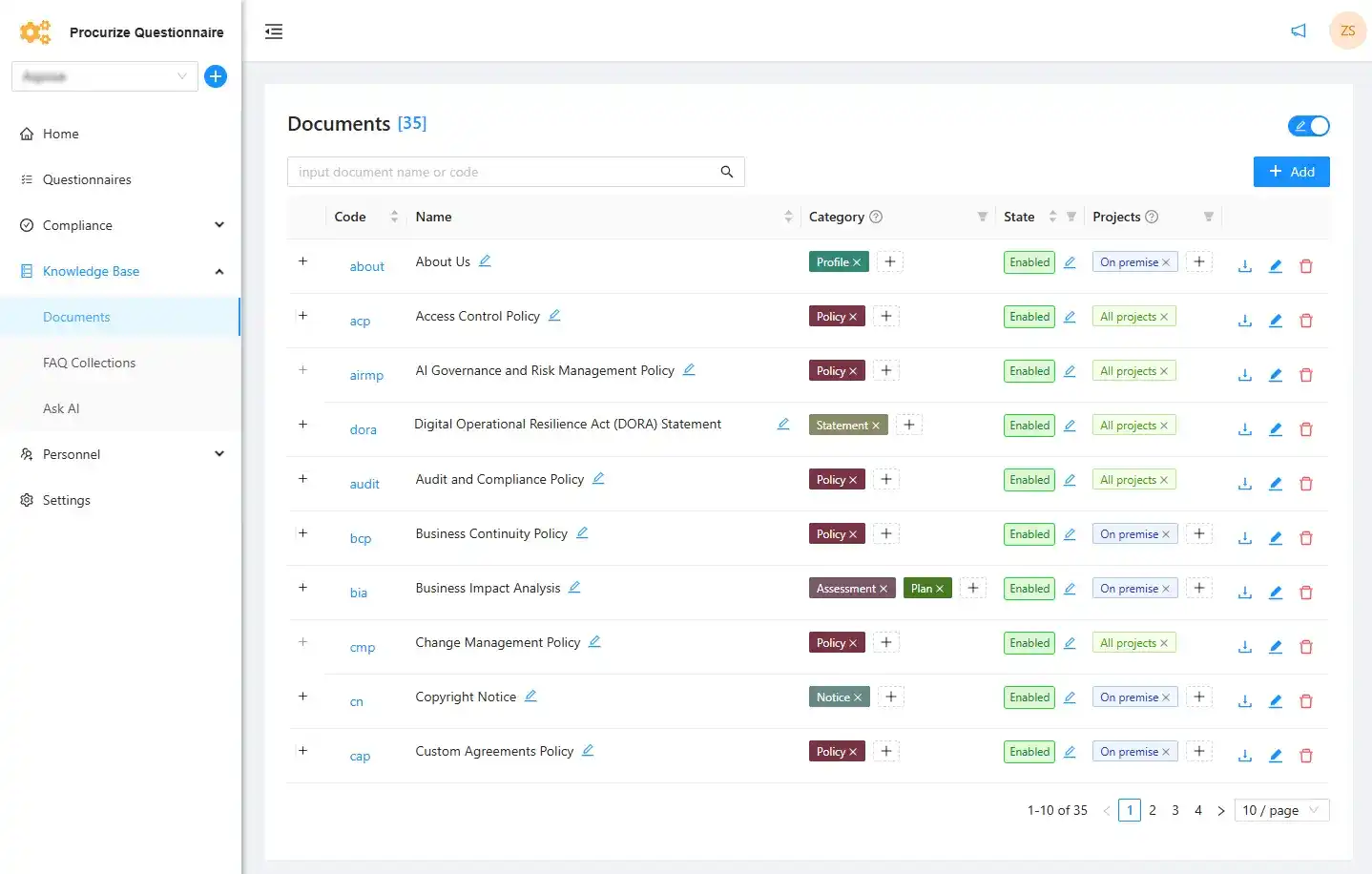
Navigate to Knowledge Base > Documents in the Procurize Questionnaire sidebar menu. If security documentation has not yet been added within your organization, you will see an empty panel with an Add button. Add the first document by clicking on it.
Note: To modify the knowledge base you need Editor rights. See the Roles and Permissions for details.
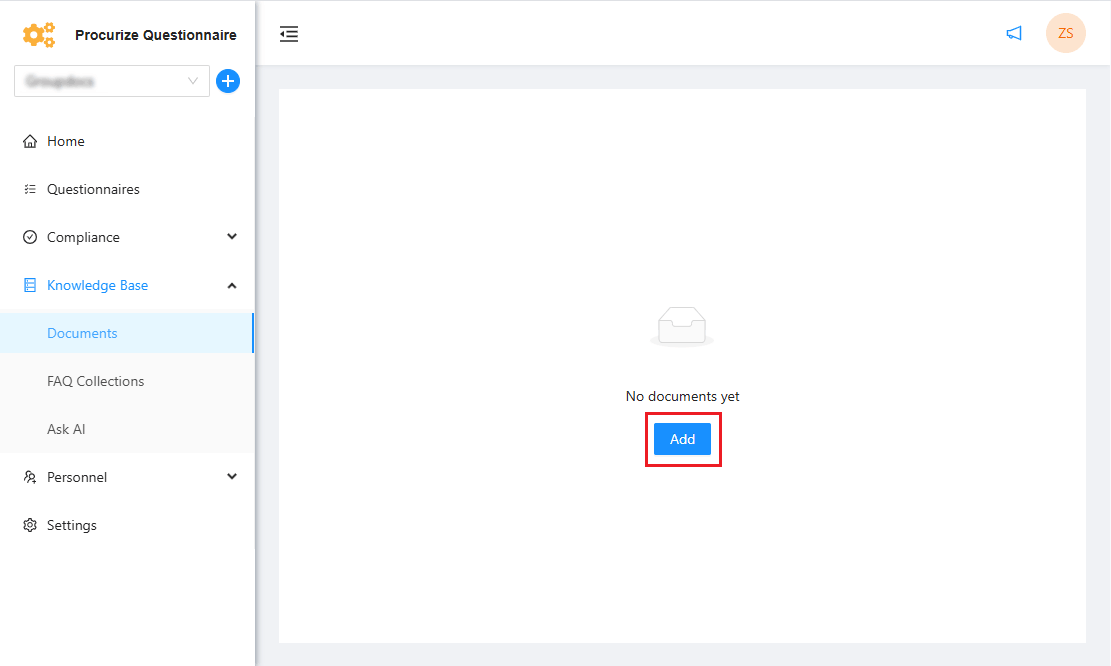
In the modal window that appears, add the document’s contents or upload them from a file or web link. The following document formats are supported: PDF, DOC/DOCX, RTF, ODT, MD, TXT and HTML.
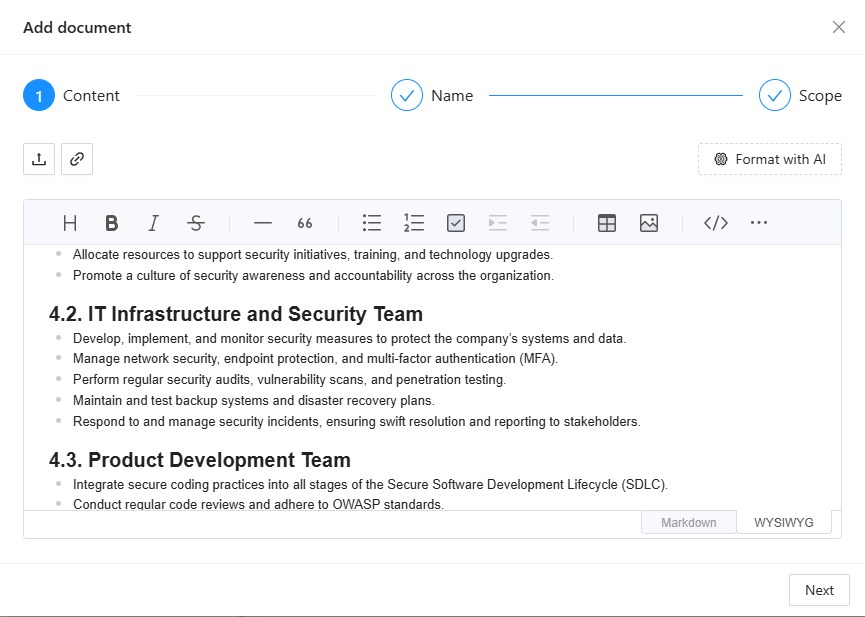
Then enter the document’s name and unique identifier for your organization.
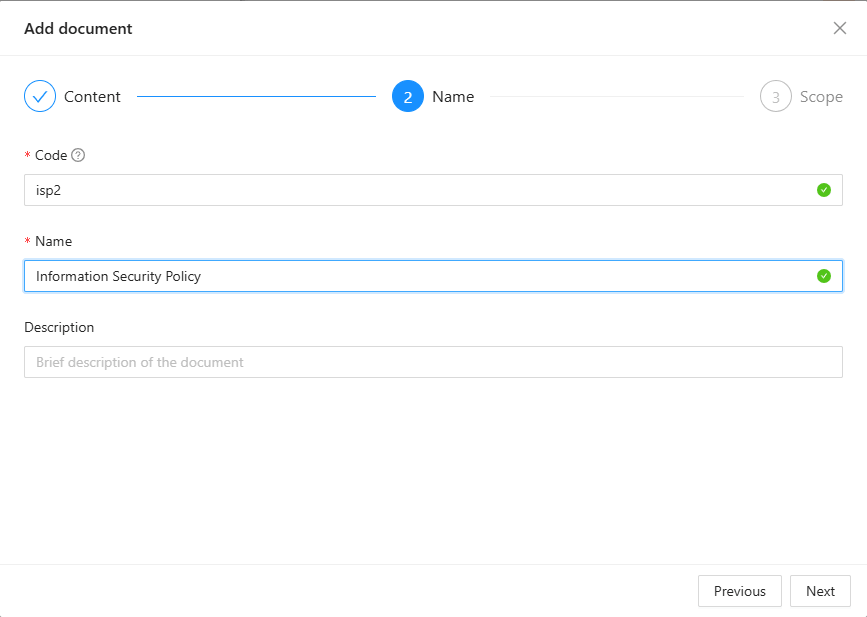
In the final step, select the document state, category and its compliance with the organization’s projects (project selection is available if projects have been created in your organization. You can read more in the Projects article).
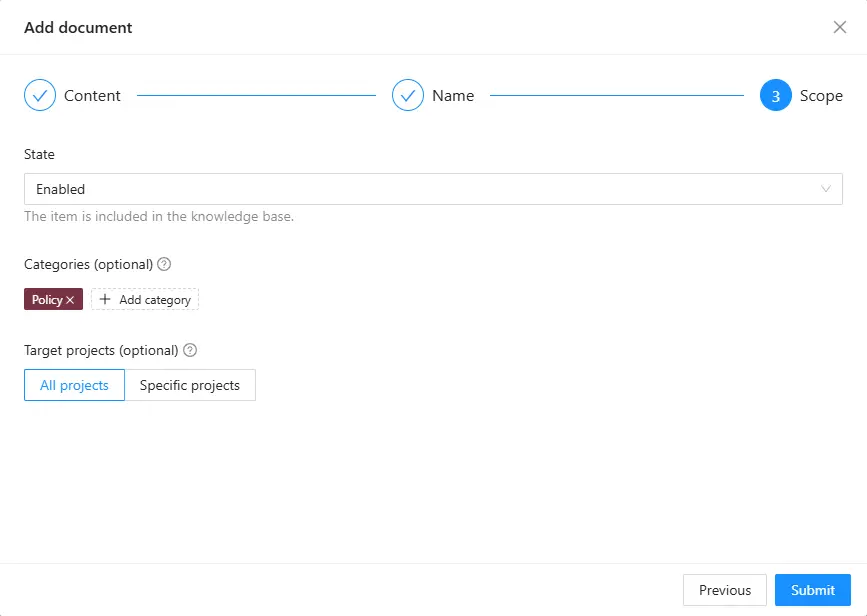
Add all documents required to fill out security questionnaires in this way. Documents with the Enabled state will be used by the AI in the autofill function.
See also:
Related articles
What user permissions does Procurize have?
How to Migrate Your Policies to Procurize in Under an Hour
Top 10 Compliance Documents Every B2B SaaS Should Have Readily Available