
SonarQube Reports API
This articles describes how to programmatically access SonarQube security reports stored in the Procurize platform. It covers the REST API for listing and retrieving reports and downloading report archives.
Overview
The SonarQube Reports submodule allows organizations to centrally store and manage security and code quality reports generated by SonarQube. The Procurize platform exposes this data through:
- A REST API for retrieving metadata about stored reports
- An endpoint for downloading report artifacts as ZIP archives
These capabilities enable integrations with CI/CD pipelines, GRC systems, internal dashboards, and third-party risk management tools.
Authentication and Authorization
All API requests described in this article do not require authentication.
Organization ID
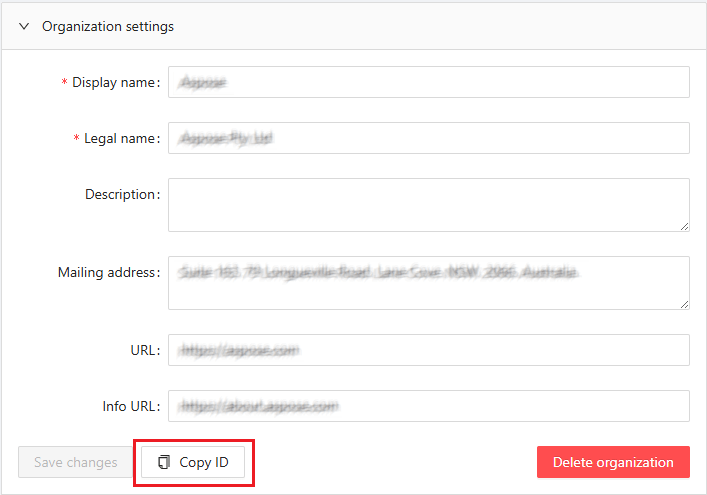
An organization ID is required for all requests described here. You can find it in the Organization’s settings panel at https://dashboard.procurize.ai. Please note that access to the settings panel requires authorization, and access to the organization’s settings panel requires a user role of at least Administrator in that organization.
Base URL
All REST API endpoints are served under the following base URL:
https://api.procurize.com
SonarQube Reports REST API
List Reports
Retrieves a paginated list of SonarQube security reports stored in the platform.
Endpoint
GET /security/report/list
Query Parameters
org(required): Organization ID.version(optional): The exact version of the products in the Semantic Versioning format.minver(optional): The minimum version of the products in the Semantic Versioning format.maxver(optional): The maximum version of the products in the Semantic Versioning format.
Please note that at least one of the parameters version, minver or maxver is required for the request.
Request Example
curl "https://api.procurize.com/security/report/list?org=00000000-0000-0000-0000-000000000001&version=1.0"
Response Example
{
  "organizationId": "00000000-0000-0000-0000-000000000001",
  "reports": [
    {
      "projectName": "Test product",
      "id": "00000000-0000-0000-0000-000000000002",
      "reportType": "CWE Top 25",
      "reportVersion": 2024,
      "projectVersion": "1.0",
      "date": "2025-12-17T09:05:48.5946432+00:00",
      "uploadDate": "2025-12-17T09:05:48.5946432+00:00",
      "vulnerabilitiesCount": 0,
      "securityRating": "A"
    }
  ]
}
Download Report Archive
Downloads a ZIP archive containing the full SonarQube report artifacts. The archive include HTML and PDF reports.
Endpoint
GET /security/report/files
org(required): Organization ID.reports(required): Array of report IDs.
Request Example
curl "https://api.procurize.com/security/report/files?org=00000000-0000-0000-0000-000000000001&reports=00000000-0000-0000-0000-000000000002&reports=00000000-0000-0000-0000-000000000003"
Response
- Content-Type:
application/zip - The response body contains the binary ZIP file
Clients should stream the response and save it to disk.
Error Handling
The API uses standard HTTP status codes.
200 OK: Request successful204 No Content: Report does not exist400 Bad Request: Invalid parameters or malformed request500 Internal Server Error: Unexpected server error
Error responses include a machine-readable error code and a human-readable message.