
Monitoring Questionnaire Status
Overview
Completing vendor and security questionnaires on time is critical for business operations. Procurize AI provides dashboard views and status summaries that help you quickly understand questionnaire progress across the organization and within individual projects (workspaces).
Dashboard Overview
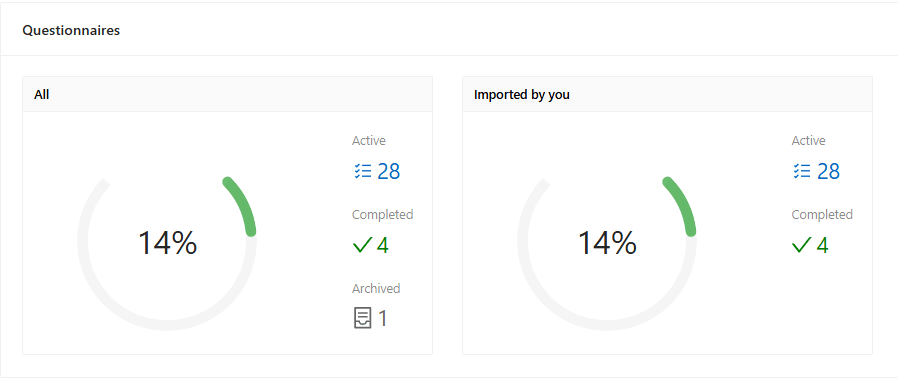
The Dashboard Home page provides a high-level summary of questionnaire activity.
You can see:
- The total number of active questionnaires
- The overall completion percentage
- Breakdown by organization and by project (workspace)
This information is displayed using visual indicators for quick assessment.
Project-Level Visibility
For organizations using multiple projects (workspaces):
- Each project has its own questionnaire summary
- Completion metrics help identify bottlenecks or overdue work
- Enables project-specific tracking and prioritization
Questionnaires Page
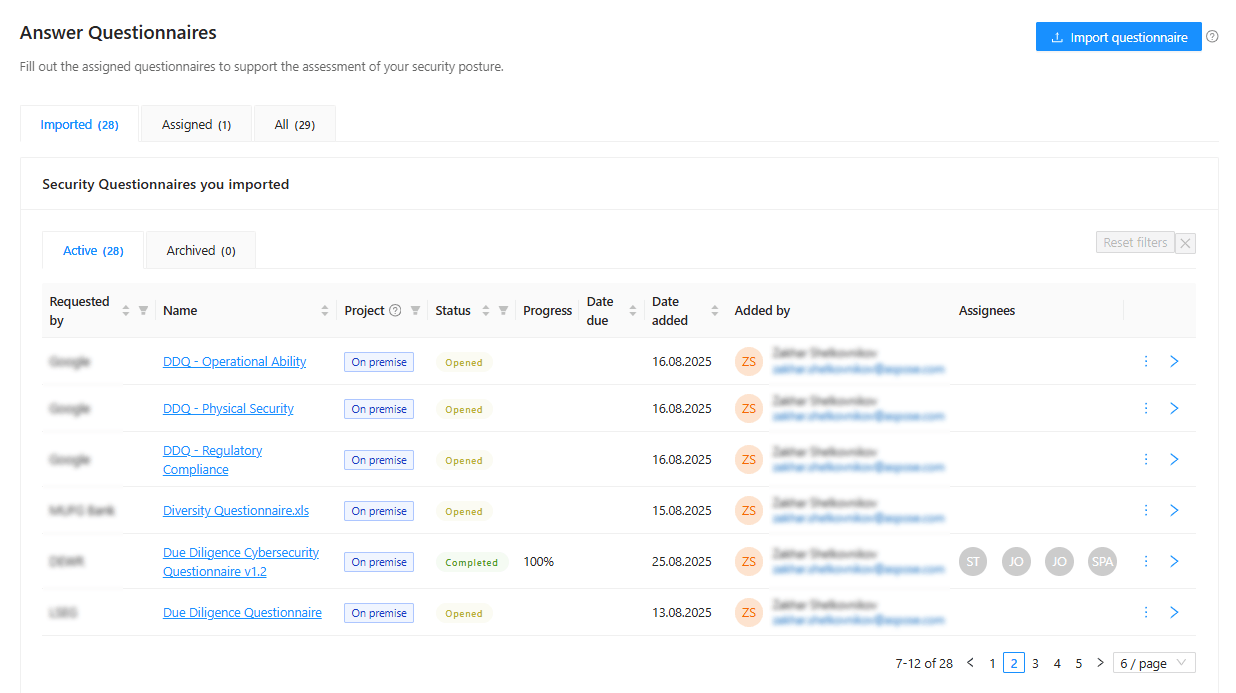
For detailed tracking, open the Questionnaires page.
This page displays multiple tables, including:
- Questionnaires imported by me
- Questionnaires assigned to me
- All questionnaires in the organization
Each table provides detailed status information, allowing you to:
- Track ownership and responsibility
- Monitor progress and completion state
- Quickly access questionnaires that require action
Key Benefits
- Immediate visibility into questionnaire workload
- Clear understanding of completion progress
- Improved accountability across teams
- Faster identification of delayed or blocked questionnaires
Related articles
to top