
How to improve document formatting
Overview
Proper document formatting helps the platform correctly understand document structure and content. Well-formatted documents produce higher-quality AI analysis results and reduce issues such as broken numbering, incorrect indents, or malformed lists.
Procurize AI provides an AI-powered formatting tool that automatically cleans and restructures documents.
When Formatting Can Be Improved
Document formatting can be improved at two stages:
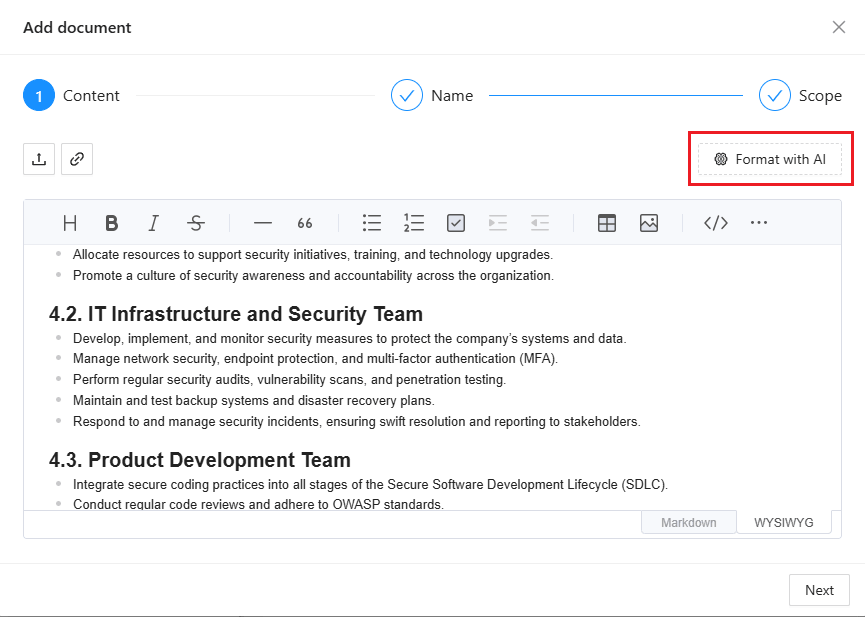
During Document Import
When importing a document, you can automatically fix formatting issues before saving it to the knowledge base.
After Import (Editing Mode)
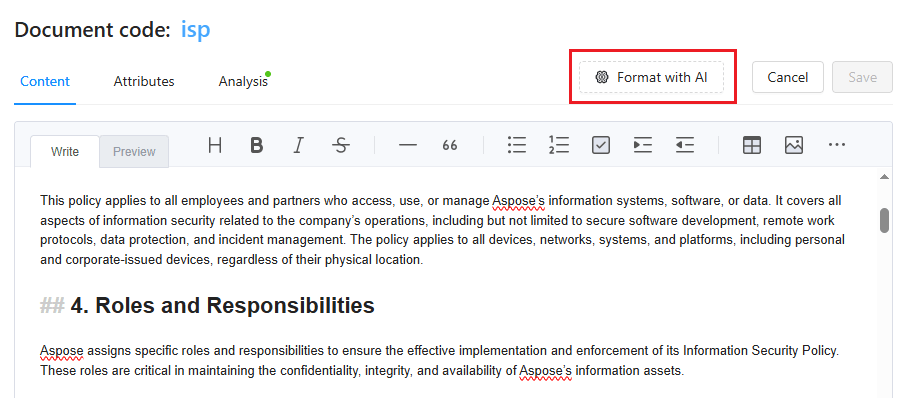
Formatting can also be improved later:
- Open the document from the Documents page.
- Enable editing mode.
- Click Format with AI to apply automatic formatting.
What the AI Formatting Improves
The AI formatting process automatically corrects common issues, including:
- Incorrect or inconsistent numbering
- Broken or misaligned lists
- Improper indents and spacing
- Unstructured headings and sections
Why Formatting Matters
Properly formatted documents:
- Are easier to read and maintain
- Are better understood by the platform
- Produce more accurate AI analysis and matching results
- Improve reliability in compliance and questionnaire workflows
Related articles
to top