
How to export questionnaires to the Knowledge Base
Overview
Procurize AI allows you to export completed questionnaires to the Knowledge Base. Exporting creates a Frequently Asked Questions (FAQ) collection based on the questionnaire’s questions and answers, enabling AI to reuse this content when answering future questionnaires or user queries.
Complete the Questionnaire
- Open the questionnaire and complete all required questions.
- Click Submit to finalize the questionnaire.
Once submitted, the questionnaire’s status changes to Completed.

Add the Questionnaire to the Knowledge Base
After the questionnaire is completed:
- Open the questionnaire’s main page.
- Click Add to Knowledge Base.
This action:
- Creates a new FAQ collection
- Uses the questionnaire’s questions and answers as indexed knowledge base entries

Keeping the Knowledge Base in Sync
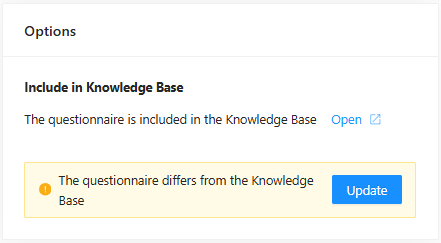
If you later update answers in the same questionnaire:
- Procurize AI detects the changes
- You are prompted to update the corresponding FAQ collection in the Knowledge Base
This ensures that AI-powered answers always reflect the most current information.
Key Notes
Only completed questionnaires can be exported
Each export creates or updates a FAQ collection
Exported content becomes available for:
- AI questionnaire autofill
- Ask AI queries
- Knowledge base analysis
Related articles
to top