
How to collaborate when completing security questionnaires
Overview
Procurize AI supports collaborative completion of security questionnaires by allowing you to assign responsible contributors and reviewers, share access, and communicate through comments. This ensures clear ownership, faster completion, and transparent review workflows.
Assigning Contributors and Reviewers
After importing a questionnaire:
Open the questionnaire you want to work on.
Locate the Assignees and Reviewer fields.
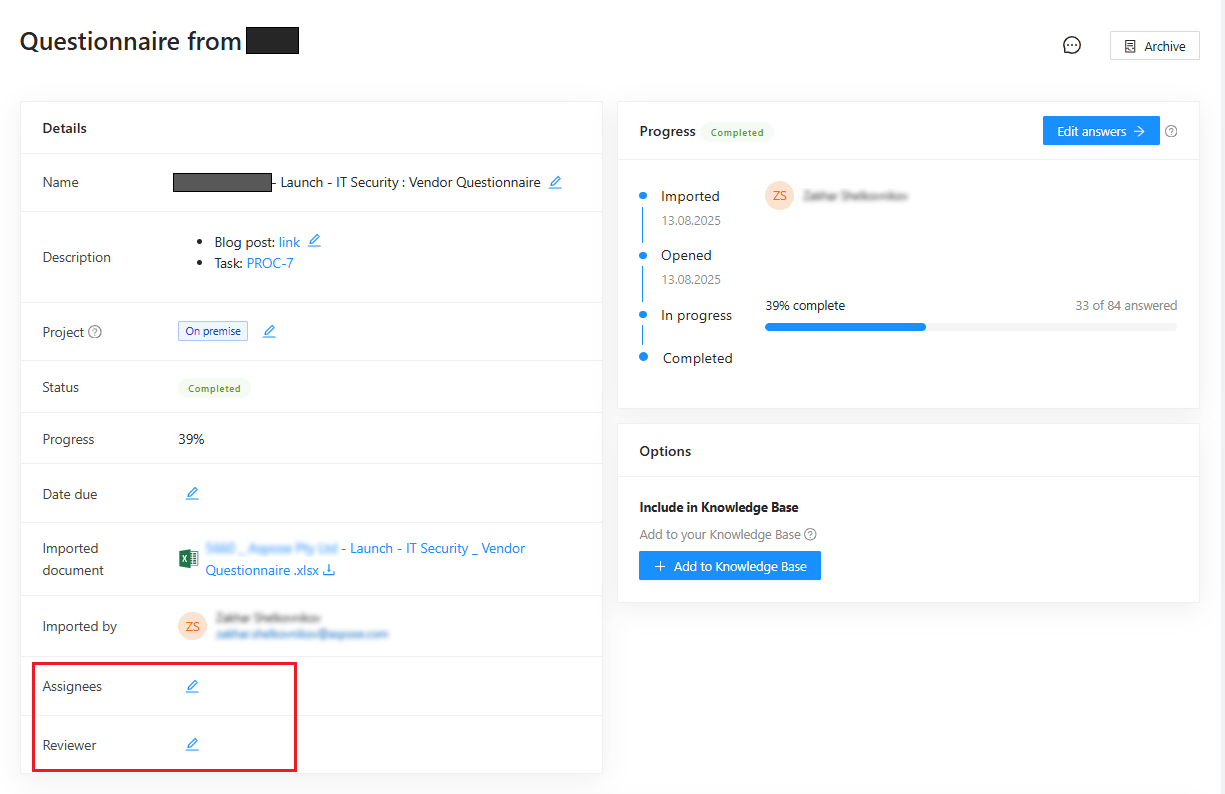
Add the people responsible for:
- Completing the questionnaire (Assignees)
- Reviewing the responses (Reviewer)
Once assigned:
- Each person receives a notification
- They are granted access to edit questionnaire responses
Assigned Questionnaires Collection
When users are assigned to a questionnaire:
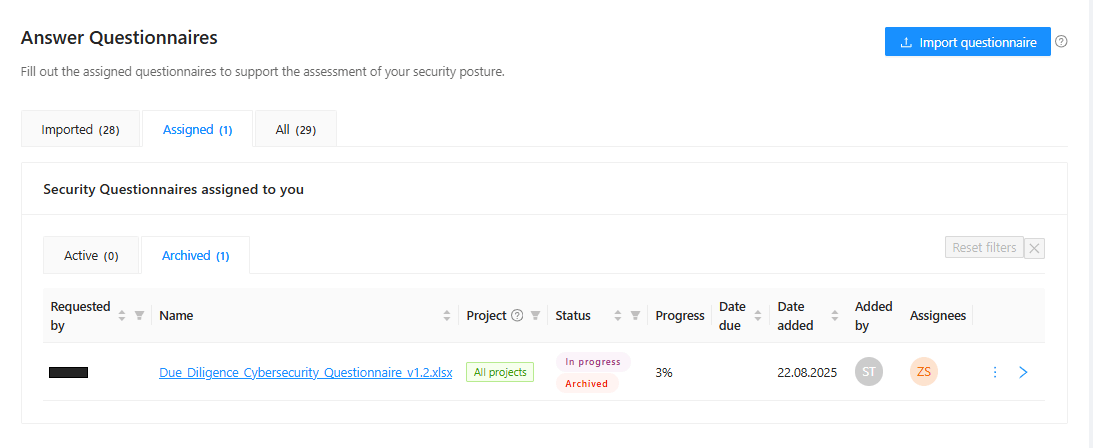
- The questionnaire appears in their Assigned collection
- This collection is visible on the Questionnaires page
- Assigned users can quickly find questionnaires that require their action
Communicating with Comments
Collaboration is supported through comments at two levels:
Questionnaire-Level Comments
- Used for general instructions or discussion
- Visible to all assigned participants
Question-Level Comments
- Used to discuss specific questions or answers
- Helps clarify intent or resolve ambiguities
Notifications and Activity Awareness
- Every comment added to a questionnaire triggers a notification
- All assigned people are notified automatically
- Ensures everyone stays informed about updates and discussions
Key Points
- Assign assignees and reviewers for clear ownership
- Assigned users receive notifications and editing access
- Comments support structured collaboration
- All activity generates notifications for visibility
Related articles
How to import and complete security questionnaires
to top